Project Overview
Interactive Go Test Coverage
gotestviz is a lightweight, interactive HTML dashboard generator for Go test code
coverage. It parses standard Go coverage profiles (coverage.out), processes package
and statement metrics, and generates an intuitive visual report directly opened in your browser.
Visual Previews
Screenshots & Dashboard Interface
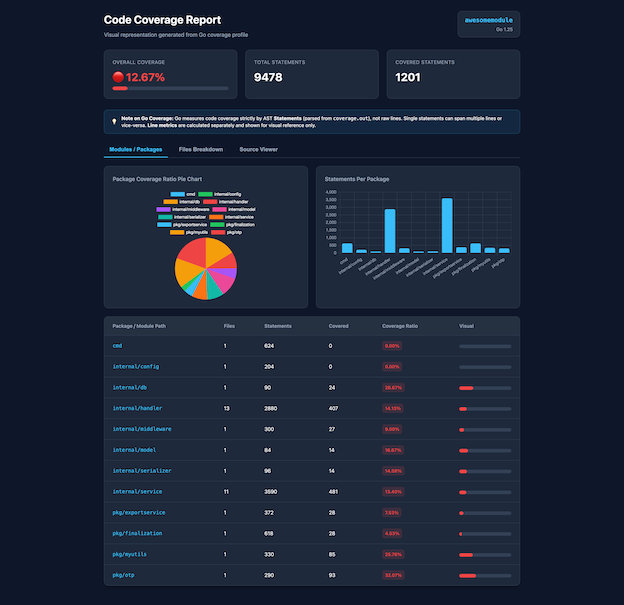
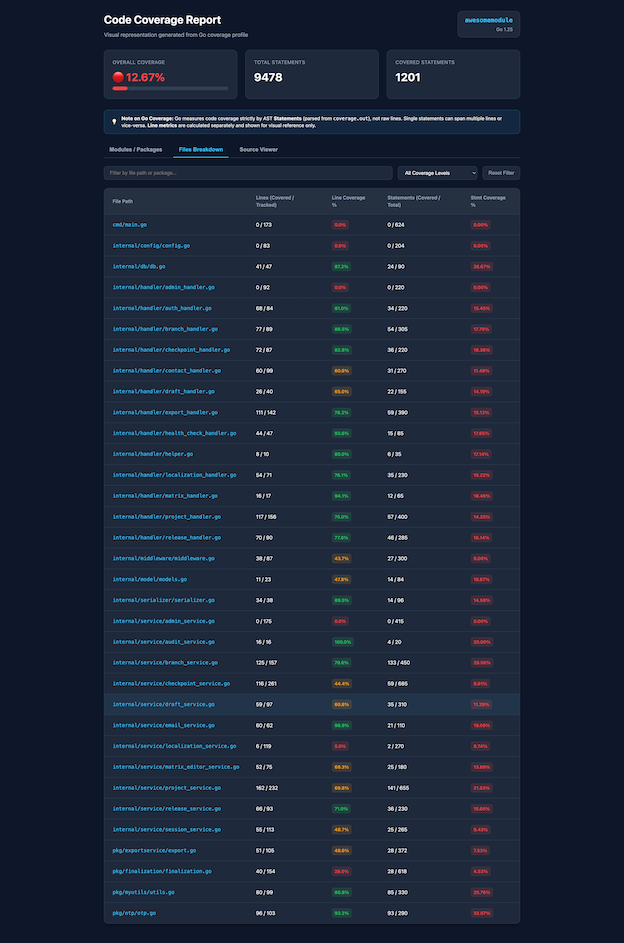
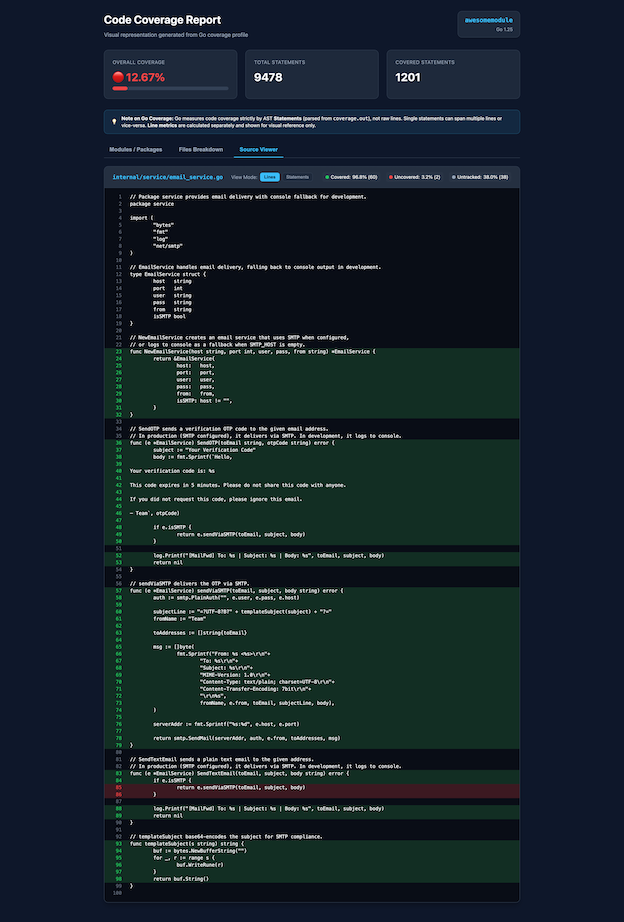
Click any thumbnail below to view a full-sized preview of the interface:
Capabilities
Key Features
- Interactive Charts: Package coverage distribution pie charts and statement metrics powered by Chart.js.
- Detailed File Breakdown: Tabular breakdown of line and statement coverage
with real-time text searching and tier filtering (
Full 100%,High ≥70%,Medium 40-69%,Low <40%,Uncovered 0%). - Interactive Source Viewer: Line-by-line and AST statement-level source code highlighting.
- Progress Tracker: Checkboxes on packages and files to track refactoring
progress with local persistence via
localStorage. - Zero External Go Dependencies: Fast execution powered strictly by standard
Go libraries (
embed,html/template,os/exec).
Setup
Installation Guide
Make sure you have Go installed on your machine (version 1.18 or later).
Installing via go install
go install github.com/marudhupandiyang/gotestviz/cmd@latestInstalling from Source
git clone https://github.com/marudhupandiyang/gotestviz.git
cd gotestviz
go build -o gotestviz ./cmd
Execution
Usage & Commands
Flags Reference
| Flag | Description | Default |
|---|---|---|
-repo <path> |
Path to repository source directory | . (Current Directory) |
-cover <path> |
Path to existing coverage.out profile file |
<repo>/coverage.out |
Auto-Run Tests & Open Dashboard
gotestviz runtestVisualize Existing Profile
gotestviz -repo="/path/to/repo" -cover="/path/to/repo/coverage.out"Local Development
Development Setup
git clone https://github.com/marudhupandiyang/gotestviz.git
cd gotestviz
go run ./cmd runtest
Open Source
Contributing
Contributions, suggestions, and bug reports are warmly welcome! Feel free to report issues or submit pull requests directly through GitHub:
Open an Issue on GitHub ↗